How to self-host a Skool-like community
Self-hosting sounds harder than it is. Here is the whole picture, from choosing a server to taking your first payment.
What you need
- A VPS running Ubuntu 24.04.
- A domain, from any registrar.
- About 30 minutes and the ability to copy and paste into a terminal.
- Accounts for Brevo (email) and Stripe and/or Razorpay (payments). You can add payments later.
Choosing a VPS size
A 1 vCPU, 4 GB RAM class plan is enough to start. Pick 2 vCPU and 8 GB if you expect thousands of active members or plan to upload many videos yourself. Hosting lesson videos on YouTube, Vimeo or Loom keeps the server light. We use a Hostinger VPS (KVM 1 to start) in the install guide, but any Ubuntu VPS works.
Installing OpenEscool
The install guide has every command. In short:
- Install PHP 8.3, MySQL, Nginx, Node.js and Composer.
- Create a database and clone OpenEscool from GitHub.
- Fill in
.envwith your domain and database password, then run the install commands. - Add an Nginx site and turn on free HTTPS with Let's Encrypt.
- Add one cron entry for emails, reminders and renewals.
- Sign up. The first account becomes the admin.
Setting up payments
Add Stripe keys for international currencies and Razorpay keys for INR (with UPI). Add a webhook for each so access is granted and removed automatically. Test with test keys first. Details in accepting UPI payments.
Email and digests
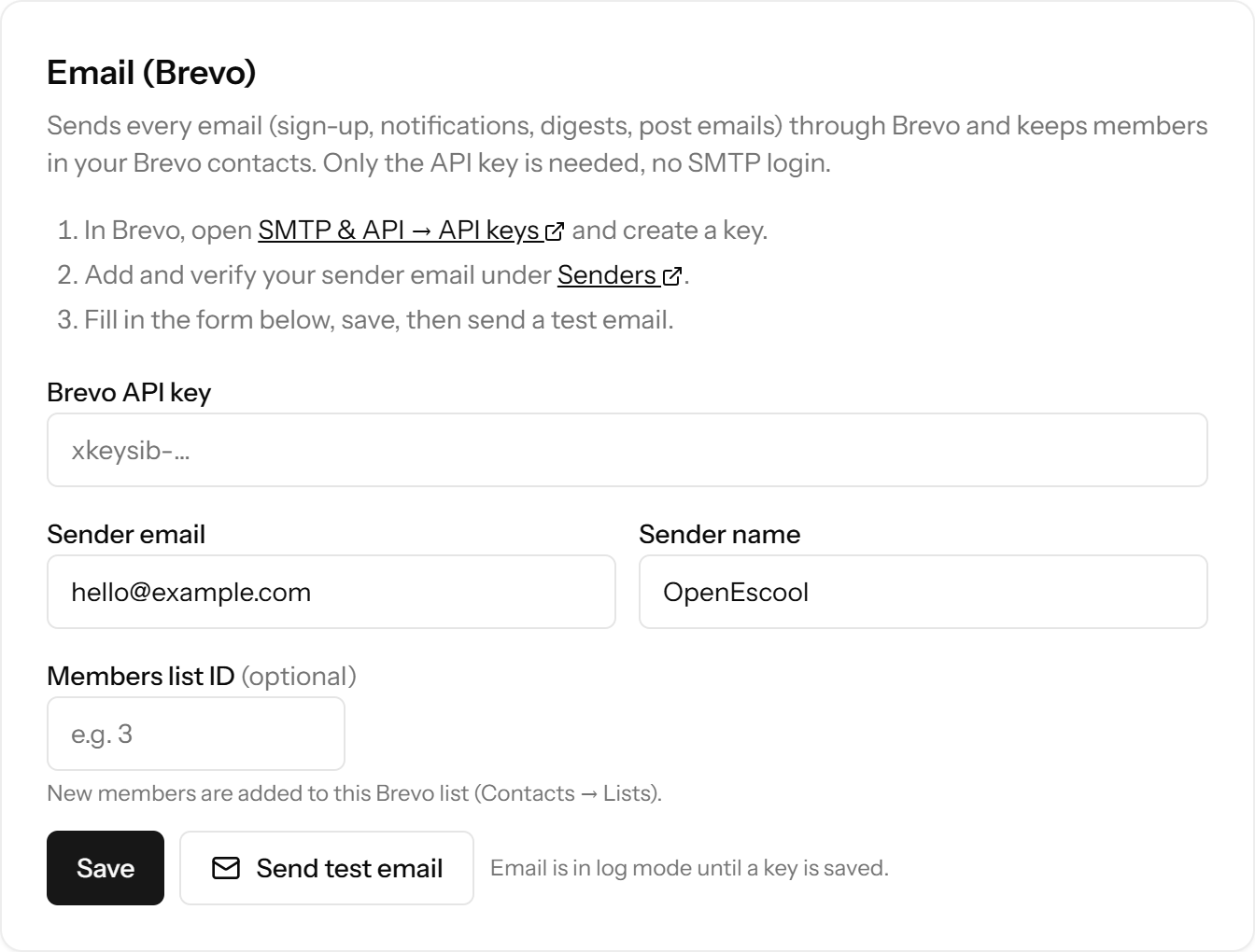
Paste your Brevo API key in Admin settings and click Send test email. That's all: sign-up emails, weekly digests, event reminders and notifications all go through it.
Backups and updates
- Backups: turn on automatic snapshots at your VPS provider, and take one before every update.
- Updates: Admin settings shows when a new version is out. Run
php artisan app:update, which pulls the code, installs dependencies, migrates and rebuilds.
Security basics
- The install guide turns on the firewall (SSH and web only) and HTTPS.
- Keep
APP_DEBUG=falsein production. - Use a strong root password, or better, SSH keys.
- Payment keys stay in
.envon the server; other secrets in Admin settings are encrypted. - Built-in spam guard: sign-up honeypot, rate limits, link and phrase filters, and a review queue.
Costs per month
Roughly $5 to $15 for the VPS and about $1 for the domain, whatever the number of communities. Stripe or Razorpay take their normal fee on sales. See pricing for a calculator, or why open source.
Questions
How much does it cost to self-host a community?
About the price of a small VPS plus a domain, roughly $5 to $15 a month in total for most people.
Do I need to code?
No. The install is copy and paste, and everything else is in the browser.
How do updates work?
Back up, then run php artisan app:update on the server. Admin settings tells you when one is available.
Is self-hosting secure?
Yes, with the basics: firewall, HTTPS, debug off, strong passwords and regular updates. The install guide sets up the first three.
Run it on your own server
Free, open source, and live in about 30 minutes.